Digital Ocean Validator Deployment
warning
At least 0.5 Million OLT required for validator set up
important
Remeber to store a password in secret place!!!
Pre-requisites
Create an account in Digital Ocean by clicking here
Digital Ocean Marketplace Image
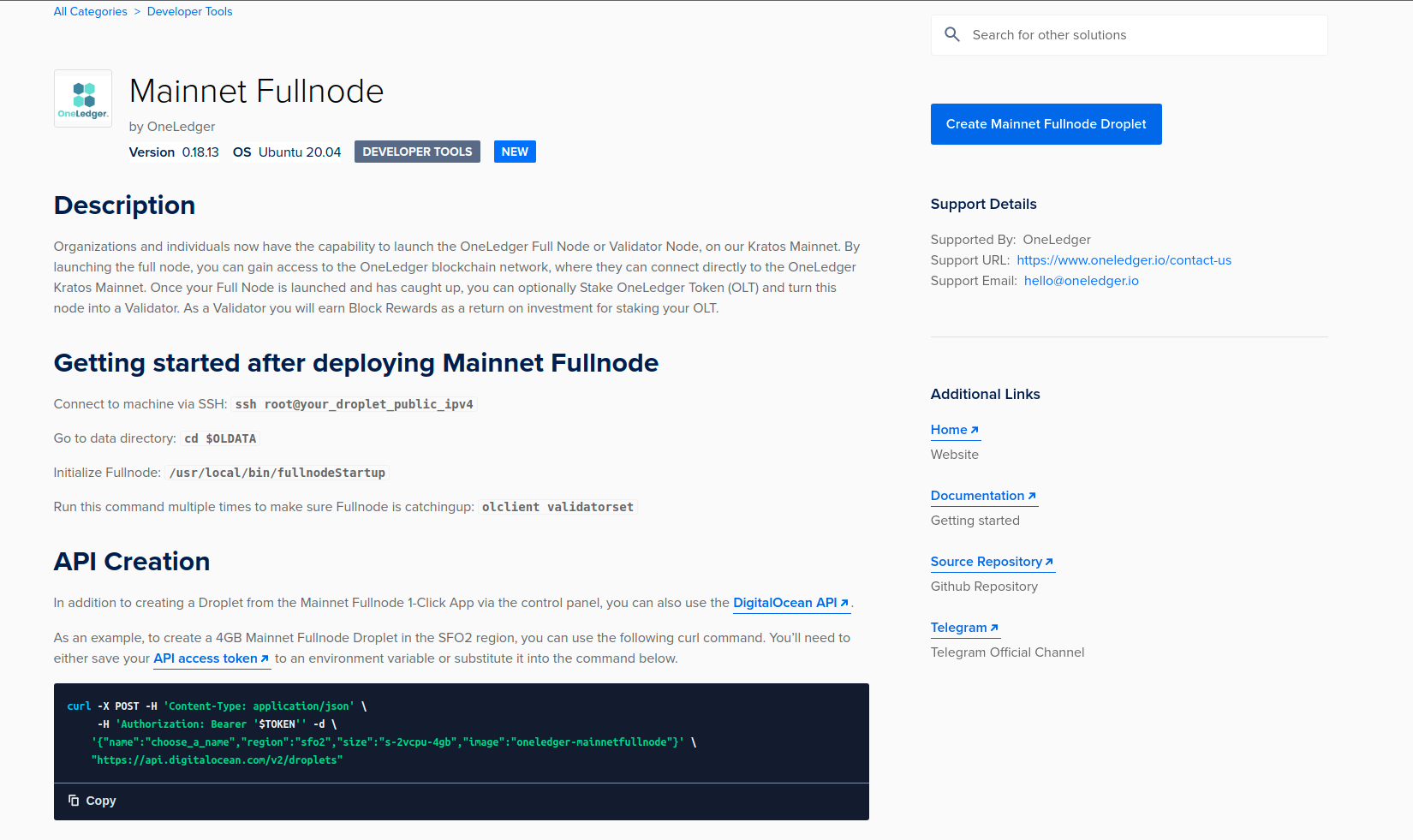
Run a node on Digital Ocean Marketplace now by clicking here.
Click on Create Mainnet Fullnode Droplet and deploy OneLedger Mainnet Fullnode.
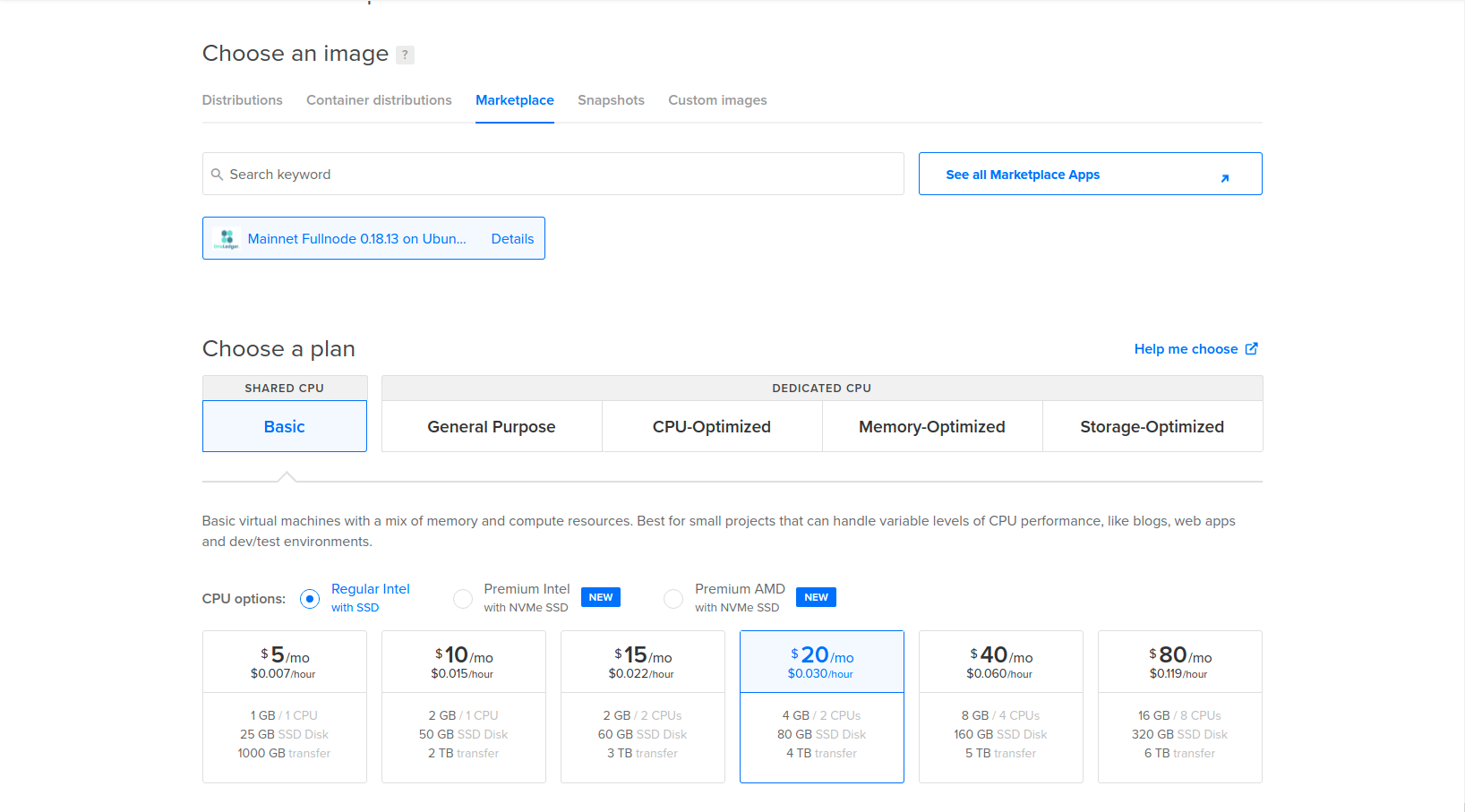
- Choose a machine type with suggested configurations and create droplet.
Now connect to droplet :
Connect to machine via SSH: ssh root@your_droplet_public_ipv4

Go to data directory: cd $OLDATA

Initialize Fullnode: /usr/local/bin/fullnodeStartupValidate node status
Go to Mainnet explorer, check out the current block height.
Use
sudo olclient validatorsetcommand to see the block height showing on this node.
The node will take some time to catch up to Mainnet current height, wait until two heights are same or with only 1~2 block difference
important
Make sure these two heights are same or with only 1~2 block difference before you send Mainnet OLT token to any account on this node!
- After node is completely sync up with Mainnet current height, please run below commands to setup logrotation. This logrotation prevents your consensus log file growing size and free up your disk space.
cd $OLDATA && sudo wget https://raw.githubusercontent.com/Oneledger/mainnet-genesis/master/logrotate-setup/logrotate.sh && sudo chmod +x $OLDATA/logrotate.sh && sudo $OLDATA/logrotate.sh && sudo rm $OLDATA/logrotate.sh
cd $OLDATA && sudo wget https://raw.githubusercontent.com/Oneledger/mainnet-genesis/master/logrotate-setup/clean_log_files.sh && sudo chmod +x $OLDATA/clean_log_files.sh && sudo $OLDATA/clean_log_files.sh
Congratulations! You have successfully deployed Fullnode, Now lets become Validator.
Instructions
Create an account in the secure wallet
olclient account add --name your_preferred_name_for_memorisation(Note: It will prompt for password please enter)
Run this command to get your node secure wallet stake address
olclient listSend at least 0.5 Million OLT to this account
You can use Chrome OneWallet extension to do this if the account you are sending from is in OneWallet;
You can use Chrome MetaMask extension to do this if the account you are sending from is in MetaMask;
Apply staking command to become a validator
olclient delegation stake --amount 500000 --address REPLACE_YOUR_STAKEADDRESS_HERE_WITHOUT_0lt_PREFIXCongratulations! Now you became a validator, you could check the status by this command
olclient delegation status --address REPLACE_YOUR_STAKEADDRESS_HERE_WITHOUT_0lt_PREFIX
Rewards management
To Check reward information for a specific validator
olclient call query.GetTotalRewardsForValidator {\"validator\":\"REPLACE_YOUR_ADDRESS_HERE_WITHOUT_0lt_PREFIX\"}it will print the info about pending, mature and withdrawn amount
{
  "address": "0lt0000000000000000000000000000000000000000",
  "matureBalance": "0",
  "pendingAmount": "2007145201754290708513",
  "totalAmount": "2007145201754290708513",
  "withdrawnAmount": "0"
}Once you see no-zero "matureBalance" in above reward information, you are able to withdraw rewards
olclient rewards withdraw --amount XXX --address REPLACE_YOUR_STAKEADDRESS_HERE_WITHOUT_0lt_PREFIXAfter you withdraw rewards check the increased balance in validator stake address
olclient balance --address REPLACE_YOUR_STAKEADDRESS_HERE_WITHOUT_0lt_PREFIX
Unstaking and validator purge
To unstake your OLT (Note: If you unstake and validator is less than 0.5 Million you will no longer be a validator)
olclient delegation unstake --amount XXX --address REPLACE_YOUR_STAKEADDRESS_HERE_WITHOUT_0lt_PREFIXAfter unstake check your status
olclient delegation status --address REPLACE_YOUR_STAKEADDRESS_HERE_WITHOUT_0lt_PREFIXWhen we unstake, there is a period of time referred to as “maturity time”. One can only withdraw the unstaked amount after this maturity time, since the unstake transaction. This maturity time is 80000 blocks, roughly ~two weeks.
info
In case of permission denied during olclient commands use sudo at the beginning