Delegation App
Start staking in Delegation App via Onewallet and earn rewards immediately with 15 - 20% APY (estimated). You can make instant delegation and undelegation with no mininum amount , no lock period and a chance to reinvest your rewards.
How to Delegate via Onewallet
To start delegation first you need to download Onewallet from chrome extension and setup your account.
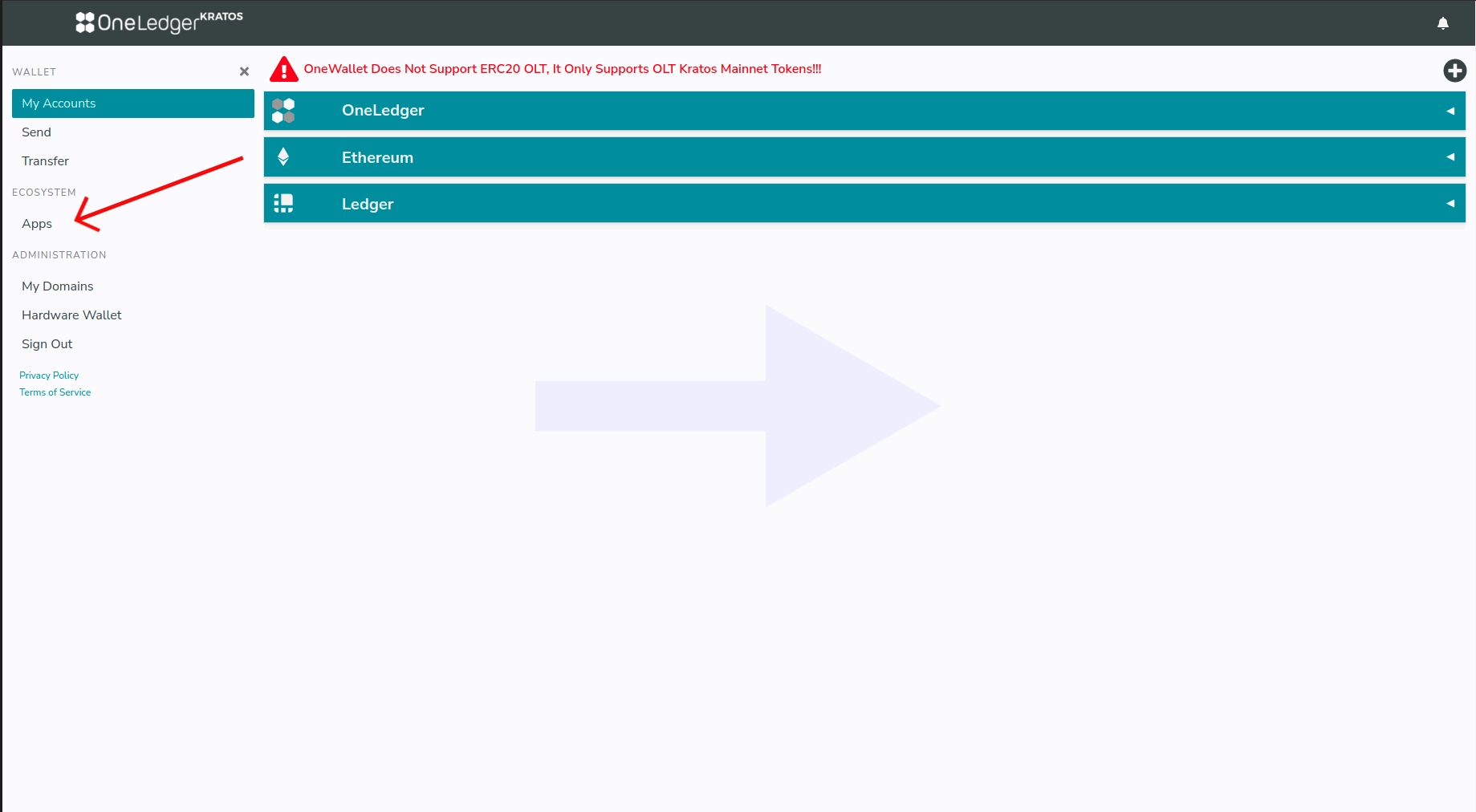
On Onewallet home page click Apps button.
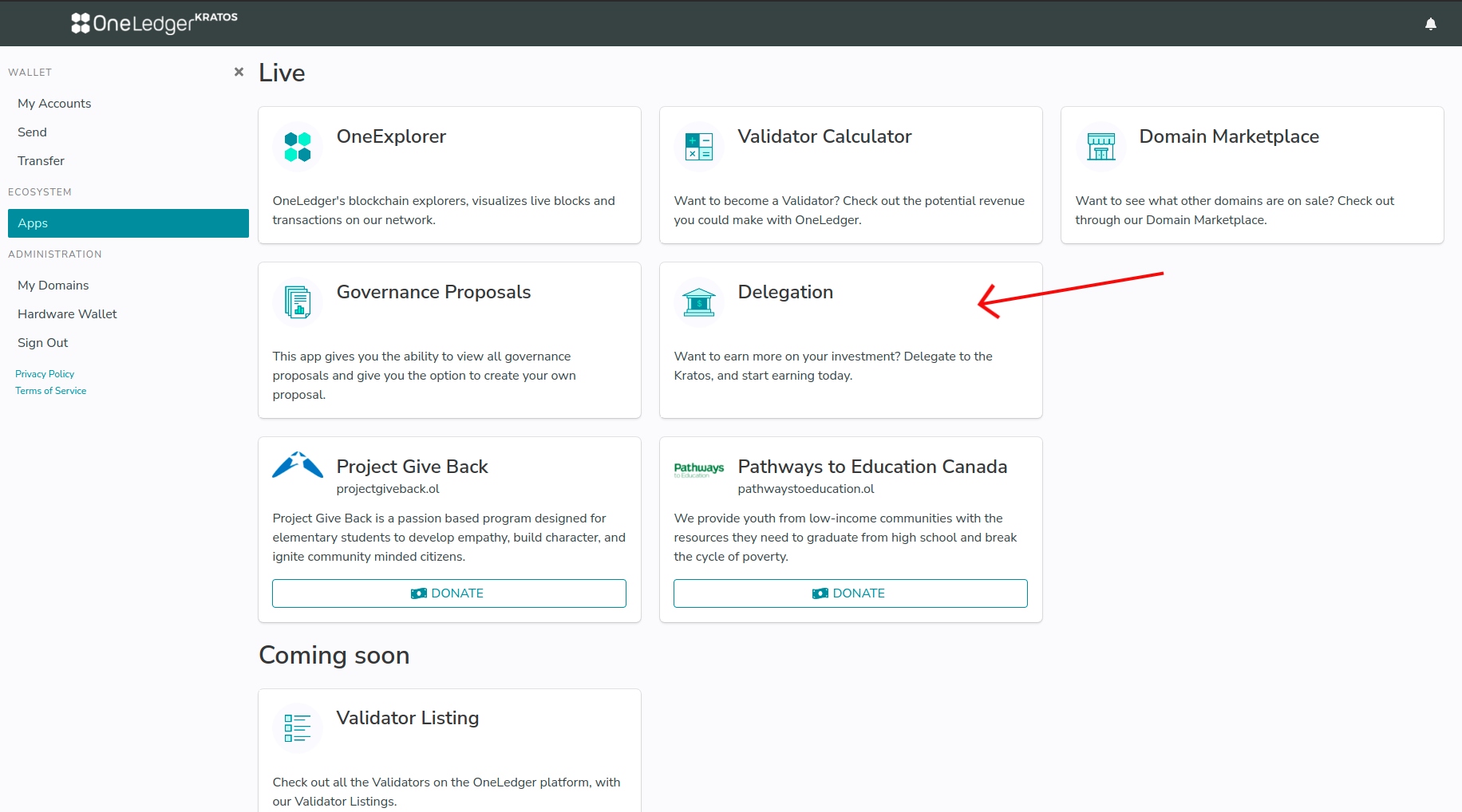
- Now you navigate to Apps page, click on Delegation App.
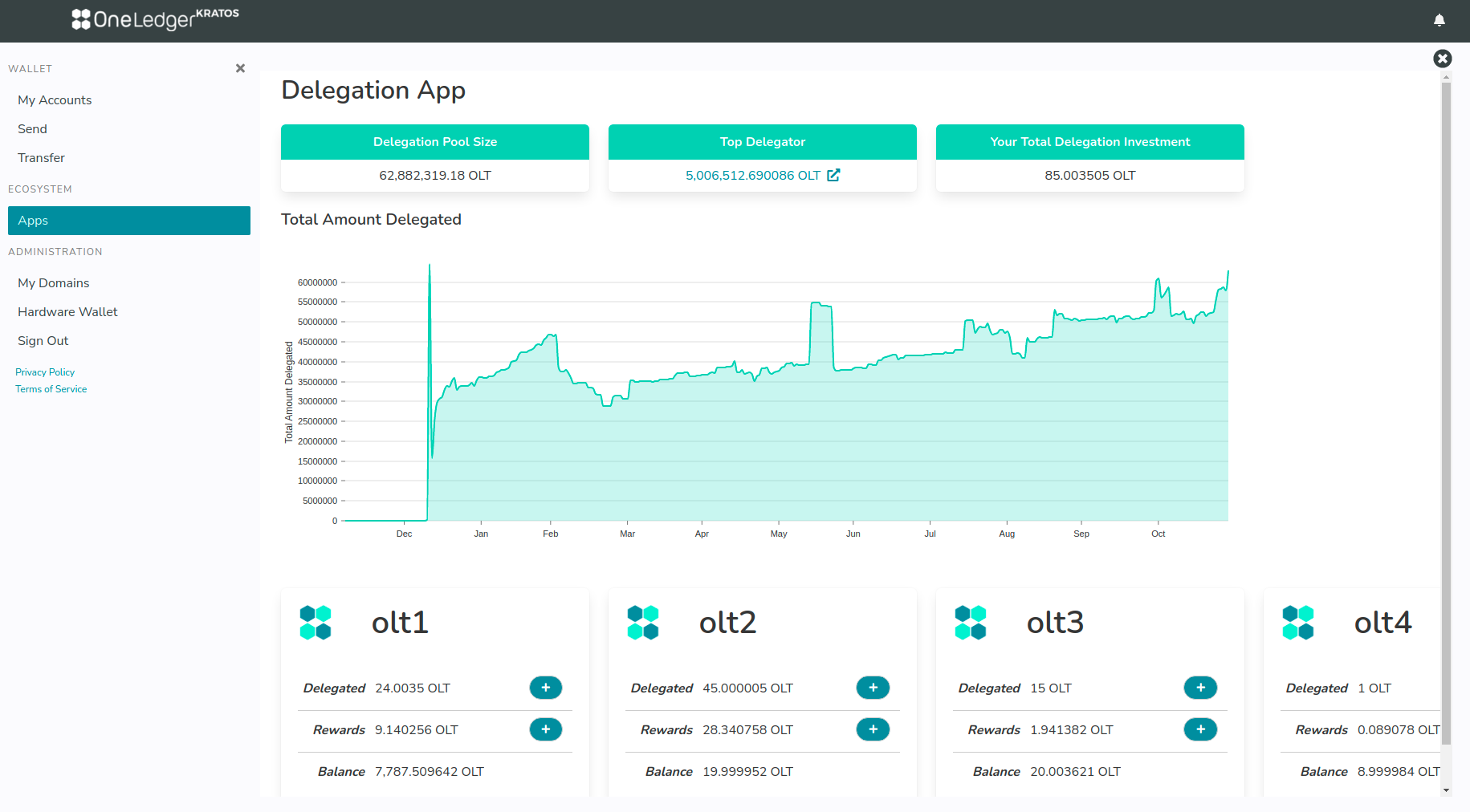
- Here you can see the information of delegation pool size, top delegator and your total delegation investment, Bottom of the page shows the accounts you are holding with Delegated amount, Rewards you earned after delegation and Balance of your account. Select any one of your account to start delegating.
- Click on '+' to delegate OLT.
Click on '-' to undelegate OLT.
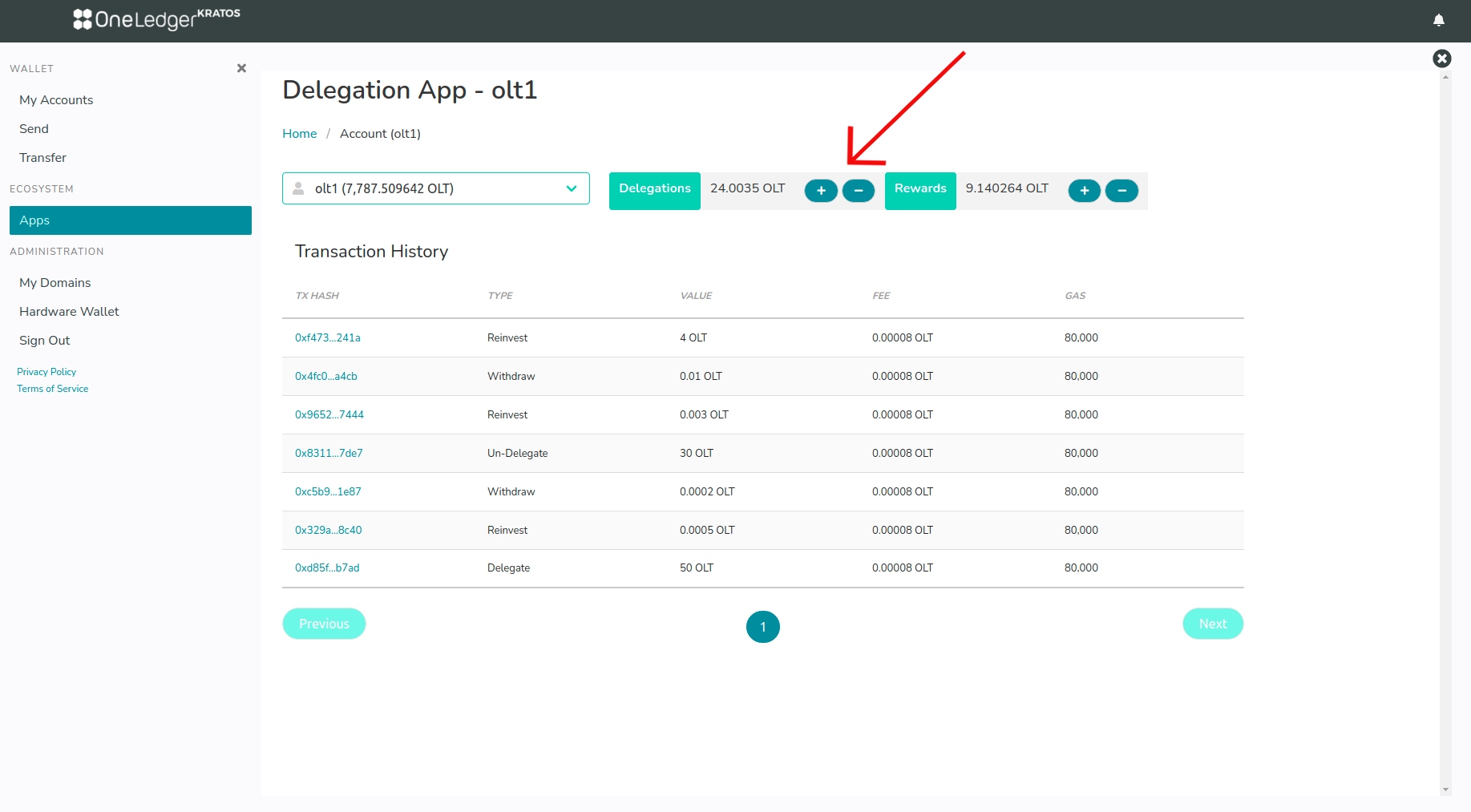
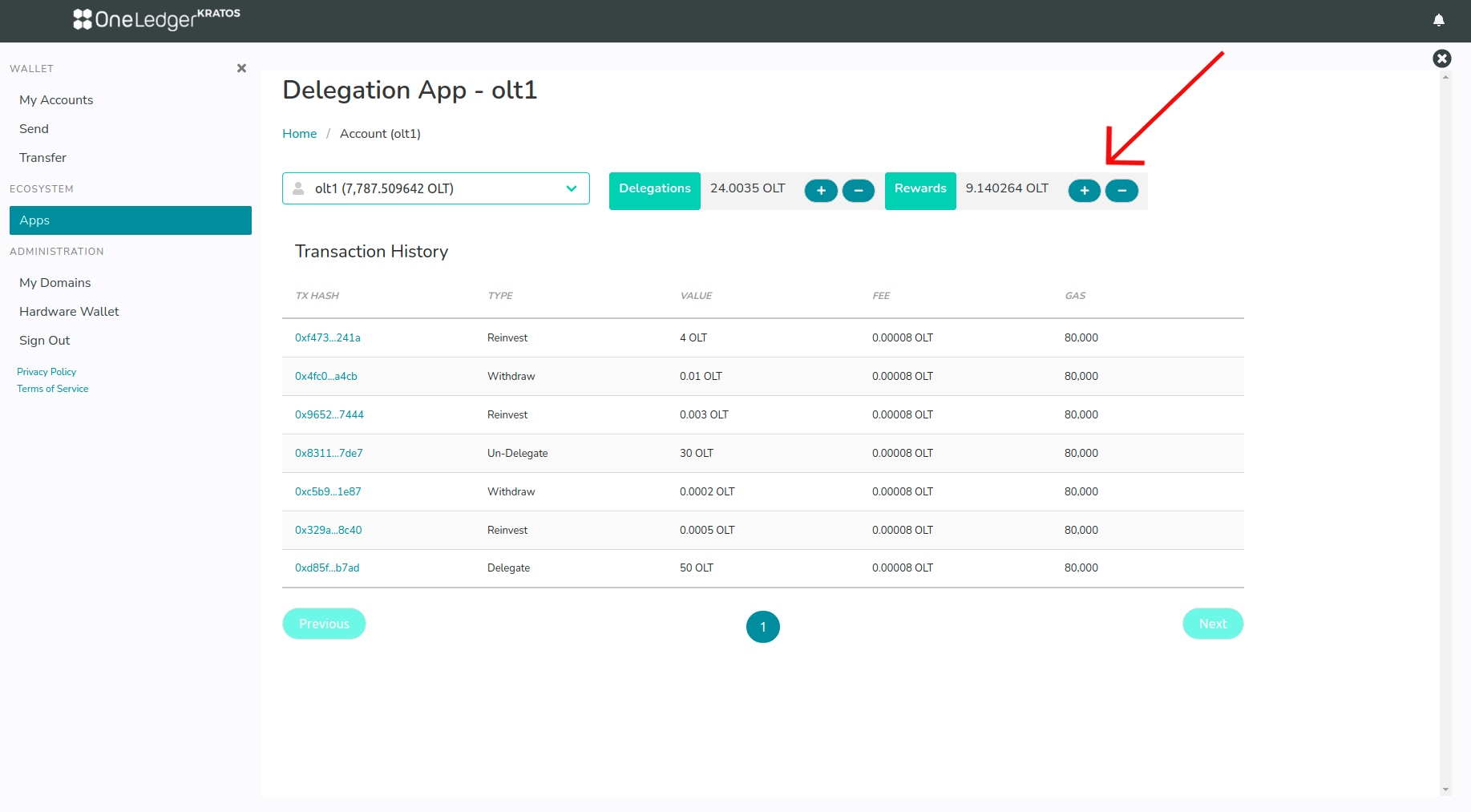
- Click on '+' to re-invest rewards.
Click on '-' to withdraw rewards.
Video 🎥
- Delegation walkthrough in onewallet